Most schools that count clock hours own a time clock already. It sits by the door, it produces a printout or a spreadsheet, and once a week somebody reconciles that against the attendance sheet the instructor kept. Two records of the same morning, kept by two people, and the hours the student eventually takes to the licensing board are whichever one got typed into the transcript. This is about the time clock Udooku added in October 2026, and the one design decision behind it: the punch writes to the attendance grid, not beside it.
Written October 2026 · Describes the student time clock as shipped in Udooku on 23 October 2026, included on every plan
Why two records of the same morning is the actual problem
For a barbering or cosmetology student, hours are the credential. The California Board of Barbering and Cosmetology will not let a student sit the exam until the school certifies the hours on the Board’s Proof of Training form, and when an inspector or an auditor asks how a figure on that form was kept, “the time clock said so” is half an answer. The other half is the instructor’s attendance, because that is the record of who was in the room for which session. If the two were kept separately, somebody reconciled them, and that reconciliation is the step nobody can show afterwards.
I did not want to build a better second record. I wanted the punch to land on the record the school already keeps, so that there is one total, one history of how it got there, and one person whose mark is final.

How a punch becomes hours
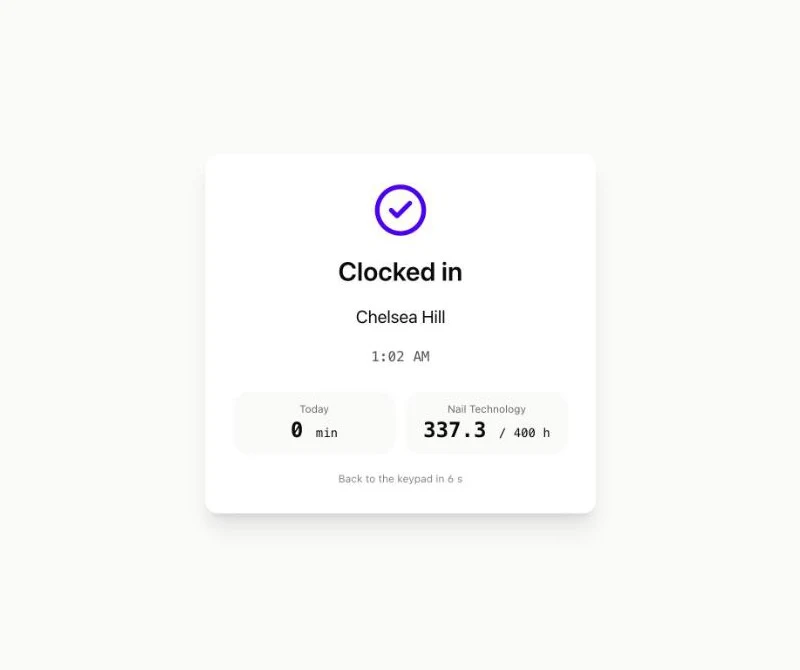
- The student clocks out, and Udooku looks at that day’s schedule
Every class session the student had that day, from their active enrollments. Cancelled sessions and dropped enrollments are ignored.
- Minutes inside each session are credited, never more than the session’s length
A student who arrives at 8:40 for a 9:00 session and leaves at 1:10 after it ends at 1:00 gets the session’s scheduled minutes, not 270. A punch that spans two sessions credits both. Two punches in one session, a lunch break, add up.
- A late arrival is marked tardy, and the minutes still count
Later than the school’s tardy allowance (ten minutes by default) marks the session T. Tardy credits hours by default, because the Board counts the hours a student was present, not the hours they were punctual. Your attendance settings decide that, not the clock.
- A session the instructor already marked is left exactly as marked
The punch is kept and listed next to the session, but the instructor’s code and minutes stand. On the attendance grid, a cell whose minutes came from a punch has a thin ring around it. Type over it and your mark wins; later punches leave it alone.
- Forgotten clock-outs are closed overnight and flagged
If a student never clocks out, the nightly job closes the punch at the end of their last session plus a short allowance, credits the hours, and puts it in a review list. Someone at the desk accepts it, corrects the times, or dismisses it. Dismissing takes the minutes back.
The review list, and what an auditor gets
Two kinds of punch wait for a person. A punch on a day the student had no scheduled session, which is either a schedule mistake to fix or a student who came in to practise and should be dismissed. And a punch the nightly job closed because the student walked out without tapping. Both sit in one list under Academics, each with accept, correct and dismiss, and every one of those actions goes into the audit log with who did it and when, as does every PIN change.
The CSV export is the part I would show an inspector. Every punch in a date range: student ID, date, in, out, minutes, which tablet, its status, and the sessions it credited, in the school’s time zone. That is the trail from a tap on a tablet to a figure on a certification, with no spreadsheet in between.
PINs, lost tablets and classmates
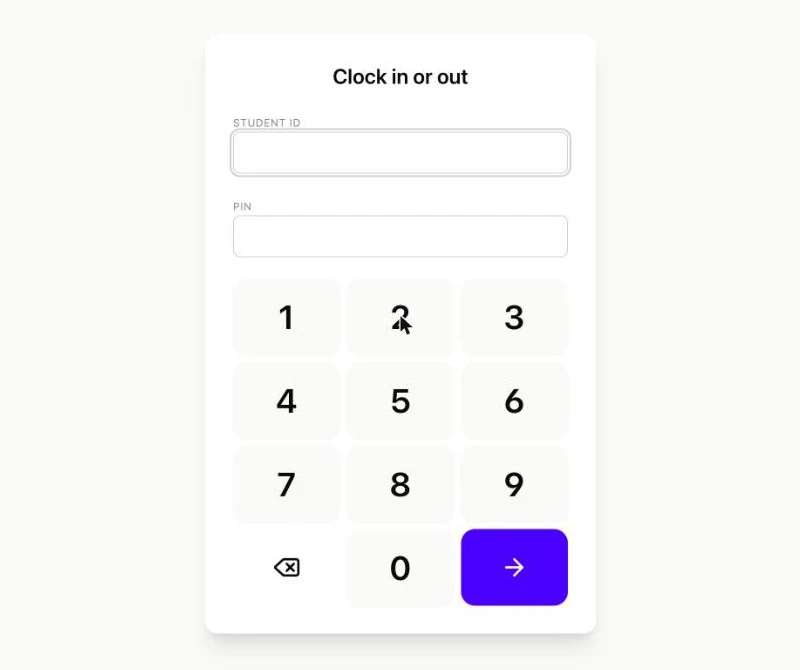
Students identify with their student ID and a four- to six-digit PIN, set at the front desk from the student’s Hours tab or by the student in the portal. Five wrong PINs lock that student ID out of the tablet for fifteen minutes; resetting the PIN clears it. A school that would rather not manage PINs can switch to student ID plus date of birth, which needs no setup and is also easier for a classmate to guess, so the setting says so. The tablet’s link is its key: if the tablet goes missing, click New link and the old page stops working everywhere.
It is not a biometric clock. No fingerprint, no face, no camera, no location. That is partly a privacy decision and partly a practical one: a tablet with a web page on it is something every school already knows how to replace.
Try it on the demo
The live demo has a front-desk tablet at demo.udooku.com/kiosk/demo-front-desk/. Type any active student’s ID from the roster and the PIN 1234, tap Clock in, then open that student’s Hours tab in the console and find the punch. The demo resets every morning, so nothing you do there matters. The time clock is on the Core plan, which is to say on every plan; pricing is published. How attendance and hours work on the how-it-works page, and how a barber school’s hours reach the Board’s form.