
Student information system
Student records for California’s private postsecondary schools
One record per student from application to transcript: roster, attendance and hours, grades, transcripts and signed enrollment agreements, for schools approved by the Bureau for Private Postsecondary Education. Built first for barbering and cosmetology schools; the same record fits language, allied health and trade schools. You can open it and use it before you talk to anybody.
No signup and no email needed · sample data resets daily
From $99 a month when you’re ready. Published prices, no call to sit through, cancel anytime.
Which school are you?
One record, four kinds of school
The screens are the same for all of them. What differs is the paperwork around the record, so each page below says what fits and what doesn’t.
Clock hours per session on every plan, and on Compliance the Hours Certification behind the California Board of Barbering and Cosmetology’s Proof of Training. The demo school is one of you.
Rolling intakes, students moving between levels on one record, enrollment verification letters on demand. It does not talk to SEVIS and it is not an LMS.
CNA, medical assisting, HVAC, welding, massage: cohorts with theory and lab sessions, a weighted gradebook, numbered certificates. No clinical-site hour logs and no Title IV.
Every location under one account at a negotiated flat rate, with onboarding included. Email how many campuses you run and you get a number back, not a sales sequence.
The situation
Your records live in four places and none of them match
The attendance sheet
An instructor marks a sheet or a binder in the room. Weeks later somebody else types it into a spreadsheet, reading off handwriting.
The roster
A spreadsheet of who’s enrolled, who’s on leave, who withdrew. Right on the day it was last edited, and nobody is sure when that was.
The grade book
Grades and progress kept on their own. Whether a student is on track gets worked out by hand, usually close to graduation.
The filing cabinet
Signed agreements, disclosures and issued certificates on paper. A transcript request means assembling one from whatever can be found.
Each one holds a piece of the truth, and reconciling them is somebody’s job. That’s the whole idea here: one record per student, kept up as the term runs.
What it does
The same sequence, in one place
Everything below is a screen in the demo. Go and check it rather than taking this page’s word for it.
An applicant becomes a student without being retyped
Applications land in a pipeline. You review one, accept it, and that applicant turns into the student record. Same data, carried forward, with a status that follows them through active, on leave, withdrawn and graduated.
How a term runs →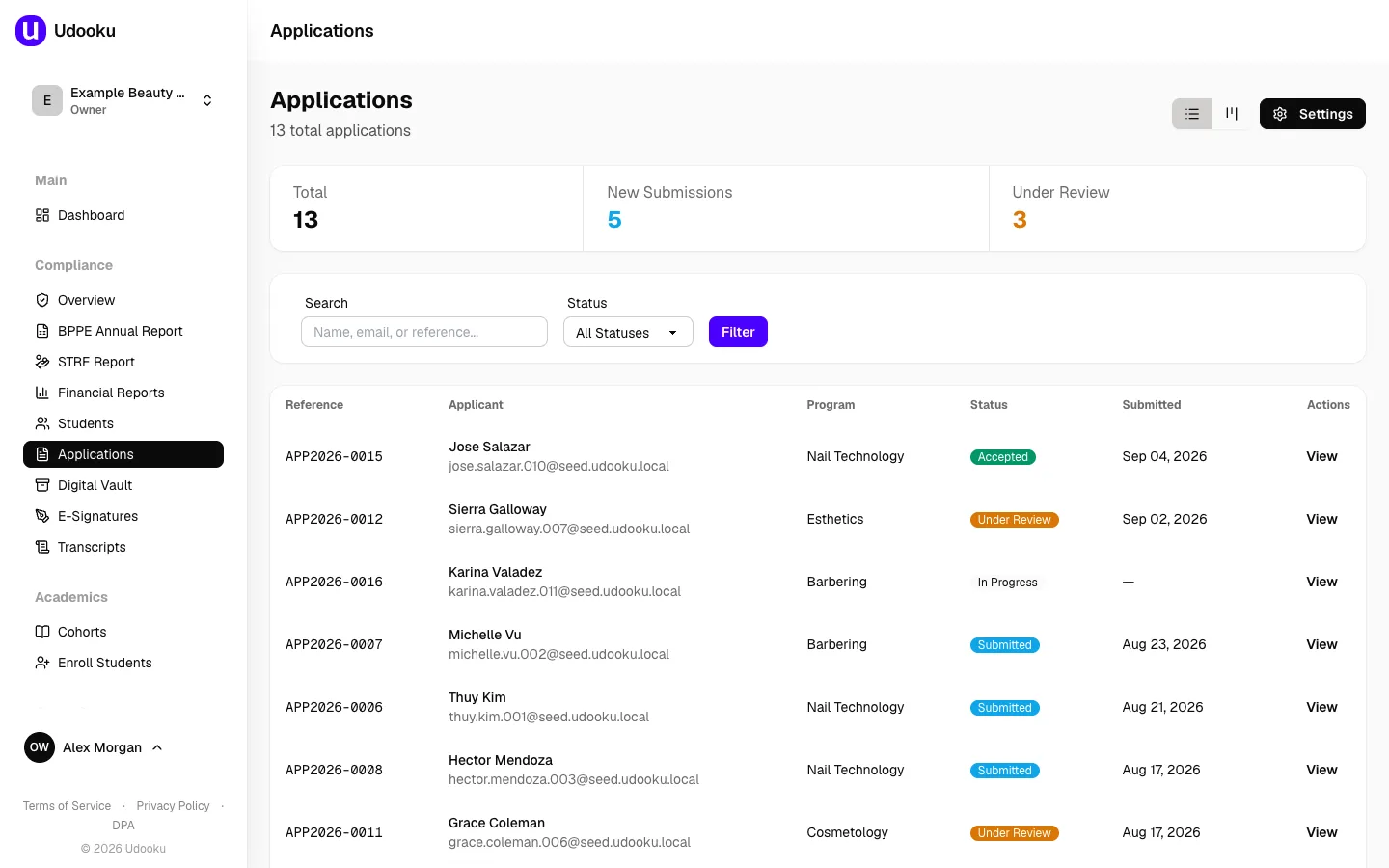
Marked once, by the person who was in the room
A cohort’s schedule generates its sessions. The instructor marks the roster with six codes: present, absent, tardy, make-up, holiday and leave. Every mark keeps a note of who made it and when, so nothing gets retyped off a paper sheet later. Students can also clock in and out on a tablet at the front desk; the punch lands on the same grid, and the instructor’s mark stays the authority.
Take attendance yourself →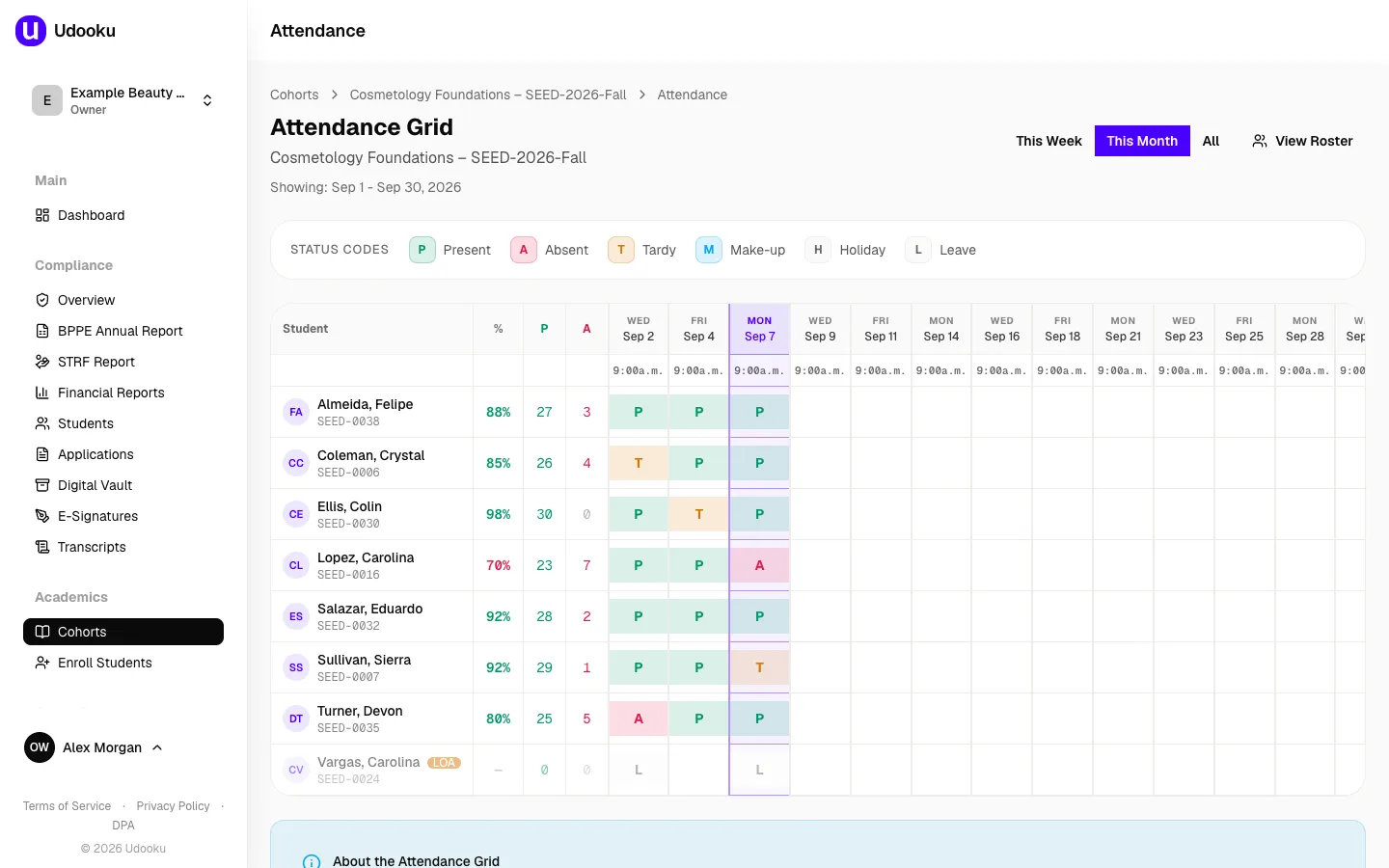
Transcripts and certificates come out of the record
Academic transcripts, certificates of completion and enrollment verification letters get built from the enrolments and grades you already hold. Everything you’ve ever issued stays in the list. A reissue supersedes the old one, and a voided copy stays visible.
What a student leaves with →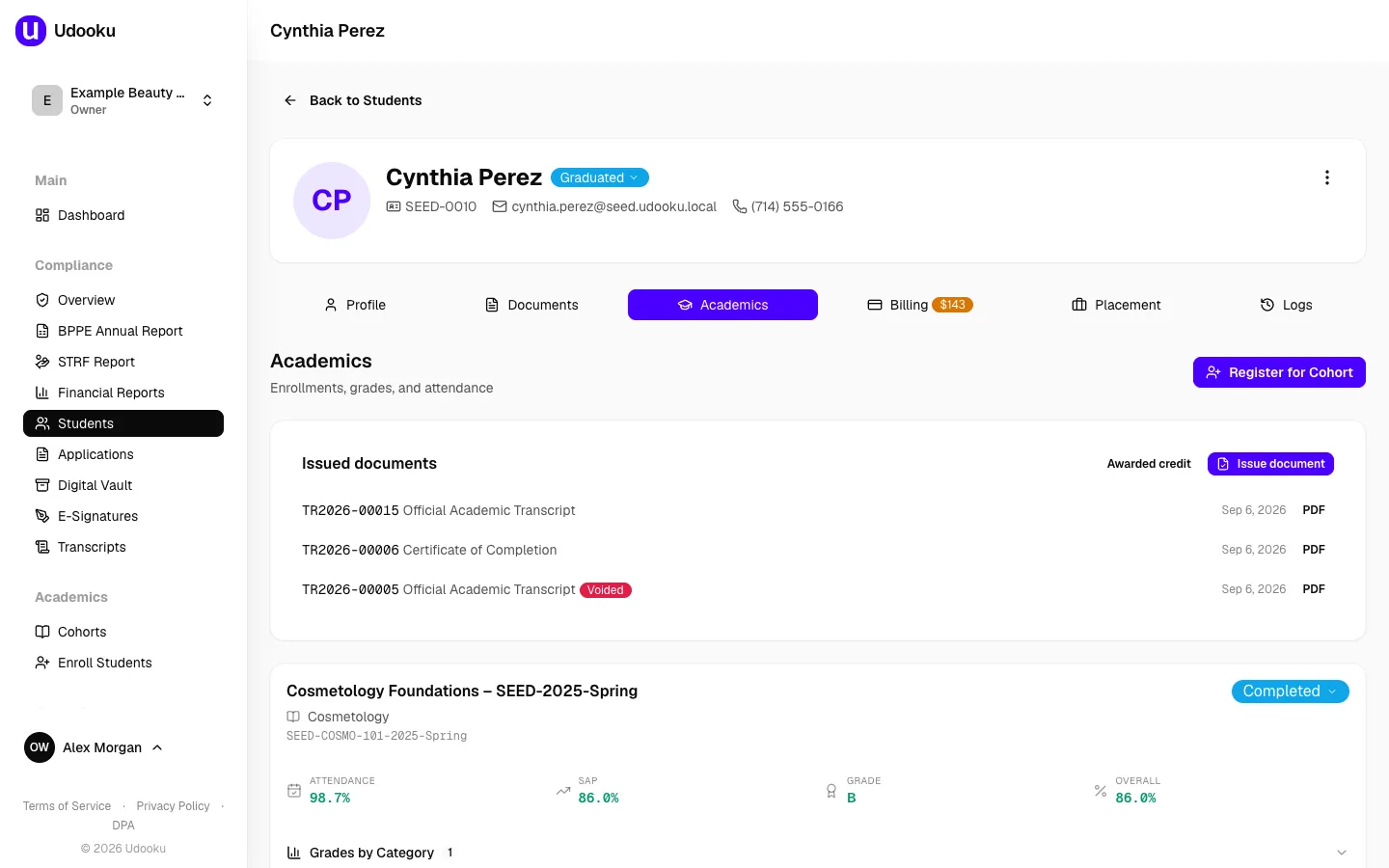
Signed agreements attach to the student, not to an inbox
Enrollment agreements and disclosures go out for signature and come back attached to the right record. Your own documents sit alongside them, catalog and refund policy and fact sheet, each with a version and an expiry date so you can see which one is current.
Look through the vault →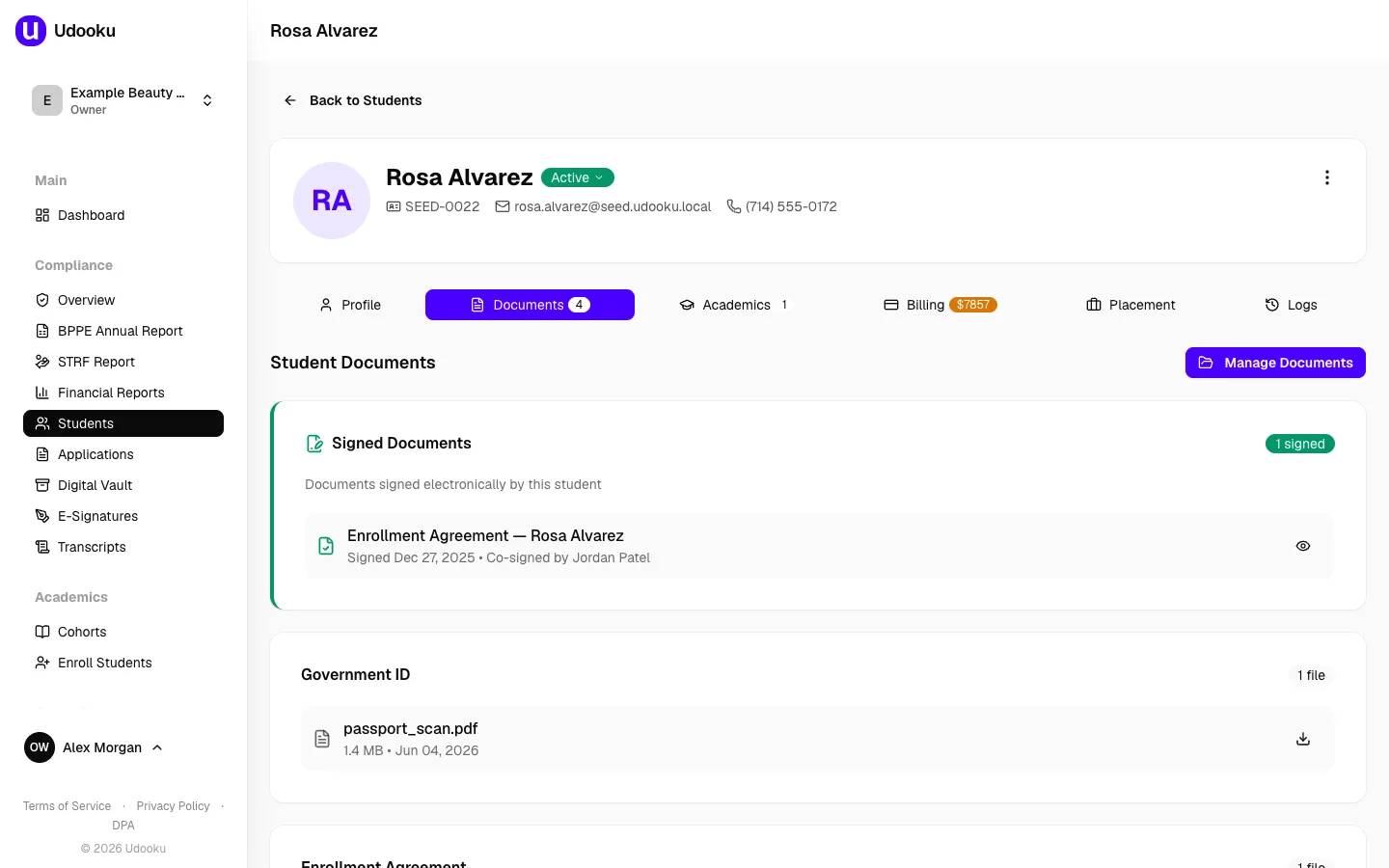
Every school on this page holds BPPE approval, so on the Compliance plan the same records also produce the roster for the BPPE Annual Report and the quarterly STRF report. What each plan includes.
Barbering and cosmetology schools get clock hours per session on every plan, and on Compliance the Hours Certification with the figures for the California Board of Barbering and Cosmetology’s Proof of Training. How it fits a beauty school.
Migration
Send a CSV and get your own school back
Export whatever your current system holds and send it over. What comes back is a private link showing your students, your programs and your attendance inside Udooku. Not a demo school. Yours. It’s free, there’s nothing to sign, and no account gets created.
Who built it
One person, and you can email him
I’m Arthur. I build and sell student information systems. That’s the whole of what I do, and Udooku is the one I built. There’s no team behind this and no support tier sitting between you and me.
I’ve never run a school, and I’m not going to pretend otherwise. What I do know is how school records go wrong: how attendance gets lost somewhere between the classroom and the spreadsheet, and why producing one transcript can eat a morning.
For a school your size that’s worth something. When you find a problem you’re writing to the person who can fix it that day, not opening a ticket. That address is [email protected].
Go and use it
There’s a made-up school with fifty students in it running right now. Take attendance, issue a certificate, break something. It all resets tomorrow morning. When you’re done, the next two steps are just as self-serve.
- Try itThe live demo, with a made-up school in it. No signup, no email.Open the live demo
- See your own students in itSend an export and get a private link back. Free, nothing to sign.Send a CSV
- Start on CoreFrom $99 a month. No contract, cancel from inside the software.Start on Core
Rather talk it through first? Book a call: twenty minutes on a screen share, your own numbers, no slides.