
How it works
A term, start to finish
What running a term in Udooku actually involves: enrolling students, taking attendance, keeping grades, and producing the documents a student leaves with. Every screen described here is in the demo, so you can go and do it yourself.
Step one
Students get in without retyping
An applicant fills in the form and lands in the admissions pipeline. You review it, accept it, and that applicant becomes a student. Same record, carried forward, nothing typed twice.
Moving from another system? The roster comes in by CSV instead. Import CSV sits on the dashboard, and the migration page covers having it done for you.
Every student gets a record holding their program, their cohort and their contact details, plus a status that moves through prospective, active, on leave, withdrawn and graduated as the term goes on.
Step two
Attendance, once per session
A cohort has a schedule, and that schedule generates the sessions. The instructor opens the cohort, sees the roster for that day, and marks it.
Six codes cover what actually happens in a school: present, absent, tardy, make-up, holiday and leave. Make-up and leave are in there because students miss time and come back. A system that can’t express that is one you end up correcting on paper.
Every mark is stamped with who made it and when. The full grid shows the whole term at once, and the attendance percentage updates as you go instead of at the end.
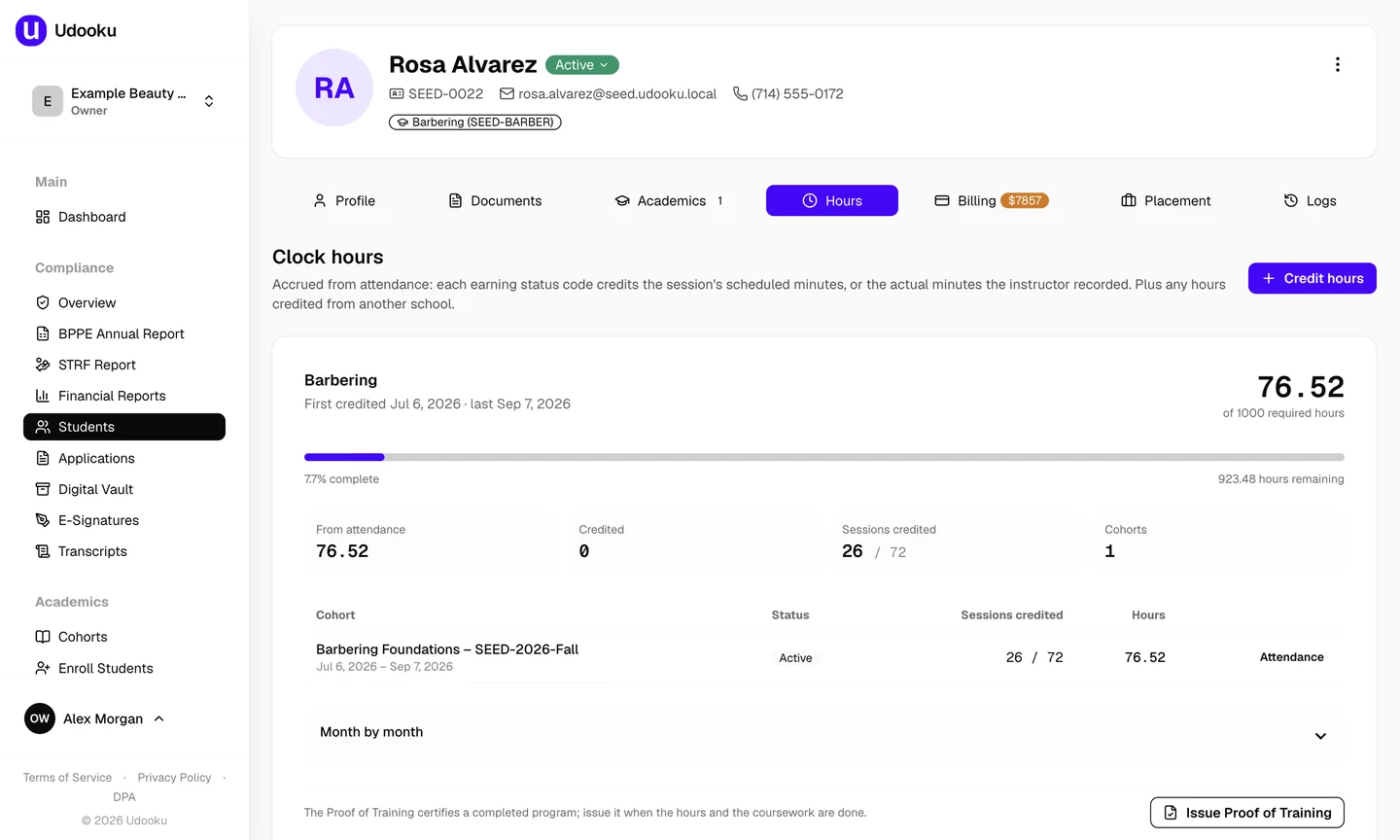
Each earning code also credits the session’s minutes to the student’s clock hours: present credits the scheduled minutes, tardy credits the actual minutes the instructor recorded, absent credits nothing. The grid carries a running total per student, and the Hours tab on the record shows it against the program’s requirement, with hours credited from a prior school kept separately.
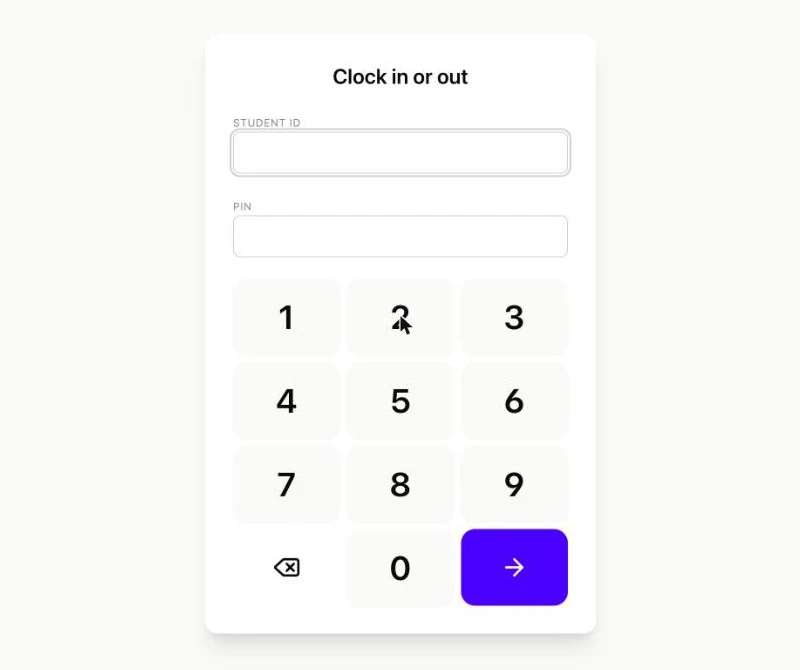
Students can also clock in and out on a tablet at the front desk. A student types their ID and PIN, taps once on arrival and once on the way out, and the punch is matched to that day’s sessions and credited as attendance and clock hours. A session the instructor already marked is left exactly as marked. A forgotten clock-out is closed overnight and flagged for someone at the desk to accept, correct or dismiss.
[email protected] in the demo and see for yourself.Step three
Grades, and whether a student is on track
The gradebook holds weighted categories: tests, practical work, participation, whatever your syllabus uses. Each student carries an overall percentage against them.
That figure drives satisfactory academic progress. A student who drops below the passing mark shows up while there’s still term left to do something about it, rather than the week they’re due to graduate.
Step four
The documents a student leaves with
Academic transcript
Built from the enrolments and grades already sitting on the record, in whatever format your programs are set up to report.
Certificate of completion
Issued against a finished program, numbered, and downloadable as a PDF.
Enrollment verification
The letter a student needs for a lender, an employer or a landlord. Produced on the spot.
Hours certification
Every figure the school has to enter on the Board’s Proof of Training form, printed and numbered from the hours on the record once the student has finished. The form itself is the Board’s; the student and the school sign it. Compliance plan.
Step five
Signatures and the document file
Enrollment agreements and disclosures go out for signature and come back attached to the student record, rather than sitting in somebody’s inbox.
Your own file sits alongside them: catalog, cancellation and refund policy, enrollment agreement master, performance fact sheet. Each one carries a version and an expiry date, so you can see at a glance which is current.
Not yet
What Udooku doesn’t do, so you don’t find out later
Financial aid. There’s no Title IV module. Tuition and payment plans run through your own Stripe account; federal aid doesn’t run through Udooku at all.
The School Performance Fact Sheet. Udooku builds the BPPE Annual Report roster and the quarterly STRF report. The fact sheet itself you still assemble. The SPFS guide walks through the calculation, and the completion-rate report gives you the numbers to put in it.
Reading about it is the slow way
All of it is running in the demo right now with a made-up school in it. From there the path is three steps, and none of them needs a call.
- Try itThe live demo, with a made-up school in it. No signup, no email.Open the live demo
- See your own students in itSend an export and get a private link back. Free, nothing to sign.Send a CSV
- Start on CoreFrom $99 a month. No contract, cancel from inside the software.Start on Core
Rather talk it through first? Book a call: twenty minutes on a screen share, your own numbers, no slides.